328 prompts · Updated daily · 100% free

AI Prompt Library

Curated image, video and web design prompts from creators around the world. Copy any prompt, swap the subject or style, and generate with the latest models.

35 prompts

Weekly Schedule Template for VTubers

Weekly Schedule Template for VTubers

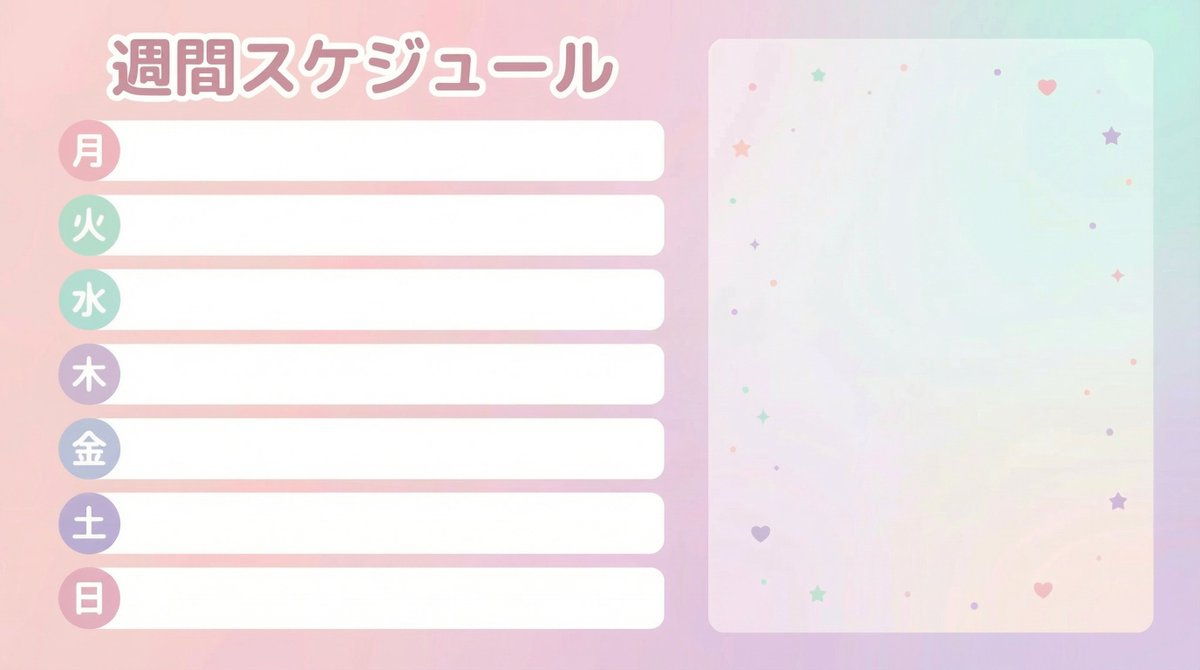
Create a "Weekly Schedule" template image for VTubers and streamers. Horizontal 16:9, size 1920x1080, flat, neat, print-like design (vector style). The overall look should be cute pastel tones (gentle colors like pale pink, mint, lavender), prioritizing readability without clutter. Layout specification: ・Place the schedule section top-aligned on the left 60% of the screen. ・7 rows (Days of the week: "Mon, Tue, Wed, Thu, Fri, Sat, Sun"). ・Each row consists of a "Day label (small round badge)" + "Horizontal blank box for writing plans." ・The blank box must be completely empty. Absolutely do not include sample text (e.g., 'Plan here', 'SAMPLE', 'MEMO', etc.). ・The right 40% of the screen is empty space for later synthesis of a standing character image. Do not draw people, animals, mascots, or silhouettes. The background should only be a faint gradient and subtle abstract patterns of small stars/hearts/dots. Text specification: ・The only text to include is "Weekly Schedule" and "Mon Tue Wed Thu Fri Sat Sun" (in Japanese). ・Do not include any other text (SNS, date range, warnings, logos, hashtags, watermarks). ・The font should be rounded Gothic style, easy to read, and legible even on a white background. Finishing: ・Ensure ample margin around the perimeter, and elements on the left and right sides do not overlap. ・No logo.

Wireframe Grid Overlay Prompt

Wireframe Grid Overlay Prompt

"semi-transparent 3D wireframe grid overlay in {argument name="grid color 1" default="blue"} horizontal lines and {argument name="grid color 2" default="red"} vertical lines to show volume, like a digital modeling sketch." + "photo faded to 50% opacity for emphasis on the grid" + "show only the grid, white bg"

Photorealistic MacBook Screen POV Selfie Prompt

Photorealistic MacBook Screen POV Selfie Prompt

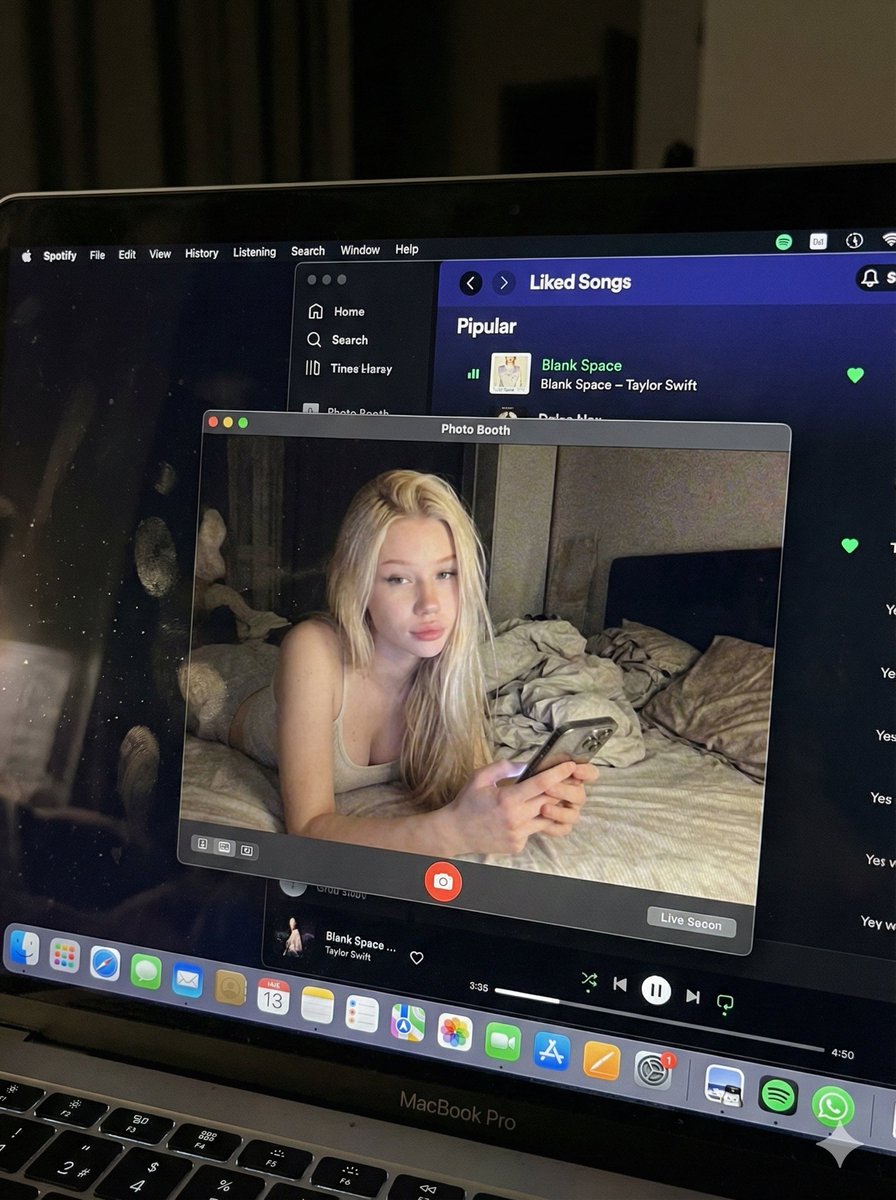
{ "image_settings": { "aspect_ratio": "3:4", "resolution": { "width": 1152, "height": 1536 } }, "prompt": { "identity_lock": { "reference": "{argument name="reference" default="input_photo"}", "preserve": [ "{argument name="preserve 1" default="face"}", "{argument name="preserve 2" default="facial proportions"}", "{argument name="preserve 3" default="eye shape"}", "{argument name="preserve 4" default="nose"}", "{argument name="preserve 5" default="lips"}", "{argument name="preserve 6" default="skin tone"}", "{argument name="preserve 7" default="skin texture"}", "{argument name="preserve 8" default="hairline"}", "{argument name="preserve 9" default="overall identity"}" ], "rules": [ "{argument name="rule 1" default="no face swap"}", "{argument name="rule 2" default="no beautify"}", "{argument name="rule 3" default="no smoothing"}", "{argument name="rule 4" default="no reshaping"}", "{argument name="rule 5" default="no AI look"}" ] }, "scene": { "camera_angle": "{argument name="camera angle" default="high-angle downward shot, POV"}", "composition": "{argument name="composition" default="MacBook screen fills most of the frame, thin strip of physical keyboard visible at the bottom"}", "screen_surface": [ "{argument name="screen surface 1" default="visible RGB pixel grid"}", "{argument name="screen surface 2" default="subtle moire effect"}", "{argument name="screen surface 3" default="micro dust on glass"}", "{argument name="screen surface 4" default="faint fingerprints"}", "{argument name="screen surface 5" default="soft ambient reflections"}" ] }, "digital_interface": { "os": "{argument name="os" default="macOS dark mode"}", "background_app": { "name": "{argument name="background app name" default="Spotify"}", "view": "{argument name="background app view" default="Liked Songs"}", "visible_tracks": [ "{argument name="track 1" default="Blank Space – Taylor Swift"}", "{argument name="track 2" default="Shake It Off – Taylor Swift"}", "{argument name="track 3" default="Cruel Summer – Taylor Swift"}", "{argument name="track 4" default="Love Story – Taylor Swift"}" ] }, "foreground_app": { "name": "{argument name="foreground app name" default="Photo Booth"}", "state": "{argument name="foreground app state" default="live preview window"}", "position": "{argument name="foreground app position" default="floating, center-right"}" } }, "photo_booth_content": { "environment": { "room": "{argument name="room" default="dim bedroom"}", "background": "{argument name="background" default="off-white wall, rumpled bedding"}", "lighting": "{argument name="lighting" default="low-light, nocturnal, cool screen glow mixed with warm skin tones"}" }, "subject": { "pose": "{argument name="subject pose" default="lying down, relaxed, candid"}", "expression": "{argument name="subject expression" default="natural, slightly relaxed"}", "outfit": "{argument name="subject outfit" default="light-colored tank top"}", "prop": { "item": "{argument name="prop item" default="iPhone 15 Pro"}", "hand": "{argument name="prop hand" default="right hand"}" } } }, "realism_rules": [ "{argument name="realism rule 1" default="this is a photo of a screen, not a screenshot"}", "{argument name="realism rule 2" default="raw smartphone photo look"}", "{argument name="realism rule 3" default="natural noise"}", "{argument name="realism rule 4" default="imperfect glass"}", "{argument name="realism rule 5" default="no studio lighting"}", "{argument name="realism rule 6" default="no HD polish"}" ] }, "negative_prompt": [ "{argument name="negative 1" default="screenshot"}", "{argument name="negative 2" default="flat UI"}", "{argument name="negative 3" default="perfect screen"}", "{argument name="negative 4" default="clean glass"}", "{argument name="negative 5" default="studio lighting"}", "{argument name="negative 6" default="beauty filter"}", "{argument name="negative 7" default="cartoon"}", "{argument name="negative 8" default="3d render"}", "{argument name="negative 9" default="painting"}", "{argument name="negative 10" default="watermark"}", "{argument name="negative 11" default="blurred face"}" ] }

6-Panel Brand Identity Grid Mockup

6-Panel Brand Identity Grid Mockup

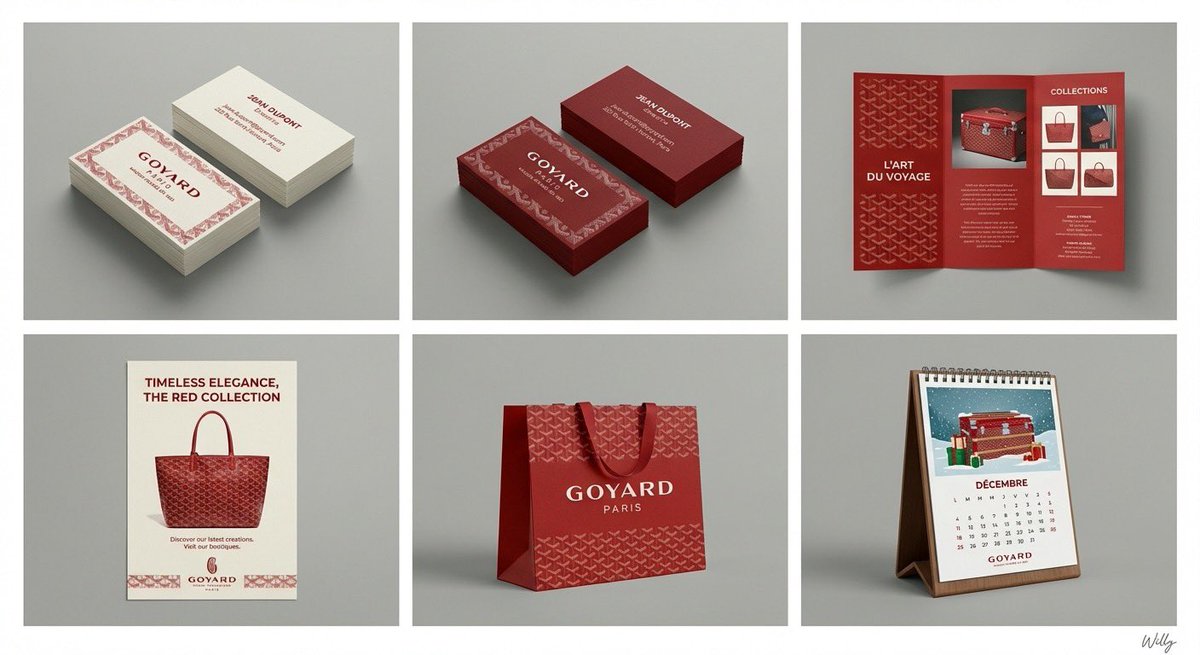
A professional 6-panel grid layout photograph displaying a complete brand identity suite for the concept: "{argument name="content" default="beauty"}". The image is divided into two rows and three columns, each cell framed with a clean white border. The overall style is a clean, modern studio mockup with uniform lighting. Top Row (Left to Right): Cell 1 (Business Card - Original): Two stacks of business cards showing front and back, featuring the primary logo, color palette, and typography of "{argument name="content" default="beauty"}". Clean white or light background paper stock. Cell 2 (Business Card - Inverted): Two stacks of business cards showing front and back, featuring the same design as Cell 1 but with inverted colors (e.g., dark background with light logo/text). Cell 3 (Pamphlet): An open tri-fold brochure showcasing detailed information, images, and branding elements related to "{argument name="content" default="beauty"}". Bottom Row (Left to Right): Cell 4 (Flyer): A single-page promotional flyer design for "{argument name="content" default="beauty"}", with a strong headline, imagery, and call to action. Cell 5 (Shopping Bag): A premium paper shopping bag with handles, featuring a large version of the "{argument name="content" default="beauty"}" logo and brand pattern. Cell 6 (Calendar): A desk calendar showing a monthly view with themed illustrations or photos related to "{argument name="content" default="beauty"}" and brand branding on each page. All items across all six cells consistently apply the logo, color scheme, typography, and graphic elements of the "{argument name="content" default="beauty"}" brand identity. The background behind the grid is a clean, neutral grey studio wall. 4k resolution, highly detailed texture. A minimal and chic handwritten signature 'Willy' is in the bottom-right corner. content: {argument name="input" default="beauty"}

Multi-Cut Image Generation with Style Variation

Multi-Cut Image Generation with Style Variation

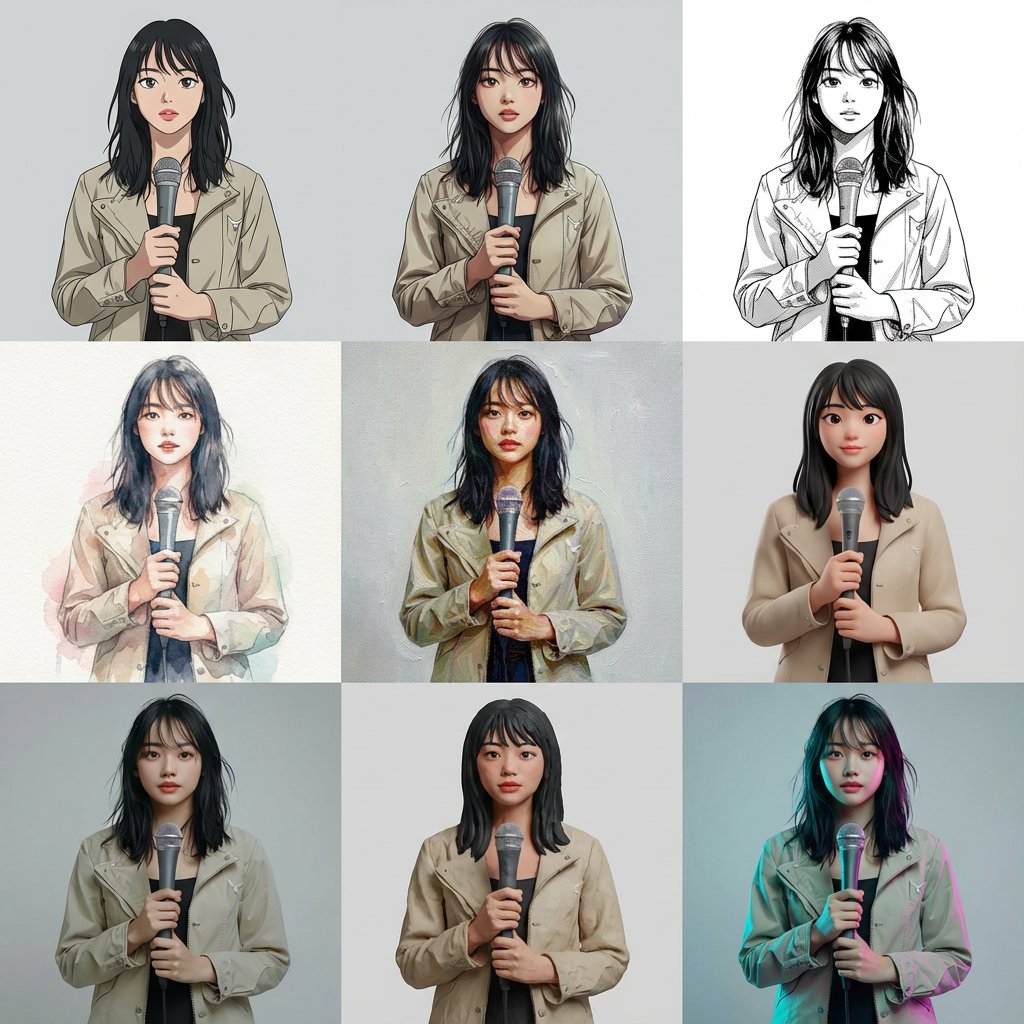
Based on the reference image, generate a multi-cut image with 9 cuts arranged within a single image. The layout is a 3x3 uniform grid. Each cut features the same person, same composition, same pose, and same camera position. Specify the style for each cut (from top left to bottom right): Cel animation style (TV anime style, clean line art, 2-3 levels of shadow) Movie anime style (delicate lines, rich gradient shadows) Black and white manga style (ink lines, screen tones) Watercolor illustration (paper texture, bleeding, pale colors) Oil painting (thick application, brushstrokes, canvas feel) High-quality 3D cartoon (soft modeling, subsurface scattering) Photorealistic 3D (PBR, texture close to real life) Claymation (clay texture, handmade feel) Cyberpunk color grading (cyan/magenta rim light, background remains plain) Ensure that all 9 cuts have completely identical composition, person, pose, and background, allowing only the style difference to be compared. Arrange them naturally as one complete image.

Five High-Efficiency Nano Banana Pro Prompts for Business Graphics

Five High-Efficiency Nano Banana Pro Prompts for Business Graphics

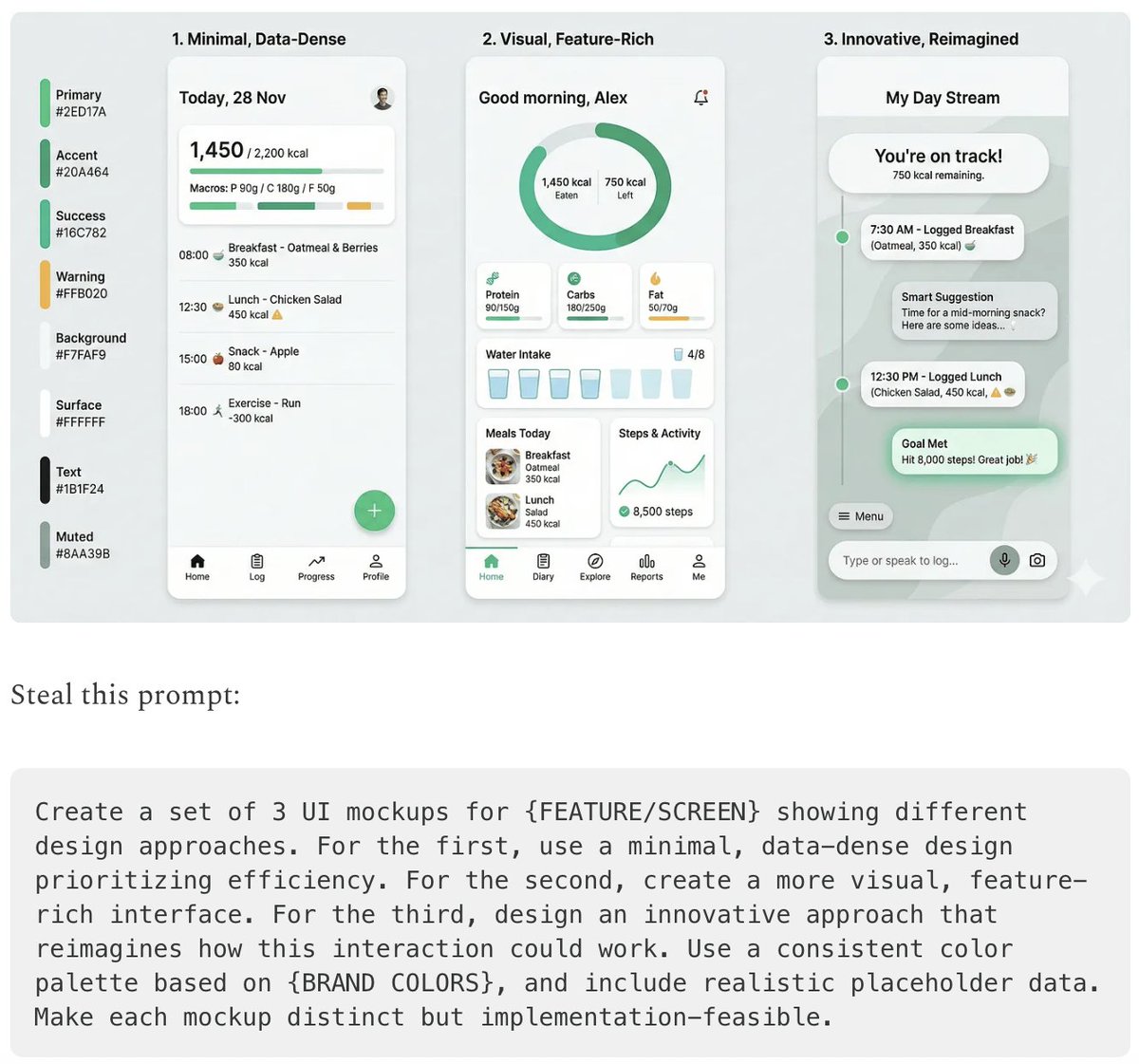
- {argument name="use case 1" default="LinkedIn Infographic"} - {argument name="use case 2" default="Technical Architecture Diagram"} - {argument name="use case 3" default="Product UI Comparison Model"} - {argument name="use case 4" default="Data Visualization"} - {argument name="use case 5" default="Code Visualization Explanation"}

Presentation Slide Generation Prompt

Presentation Slide Generation Prompt

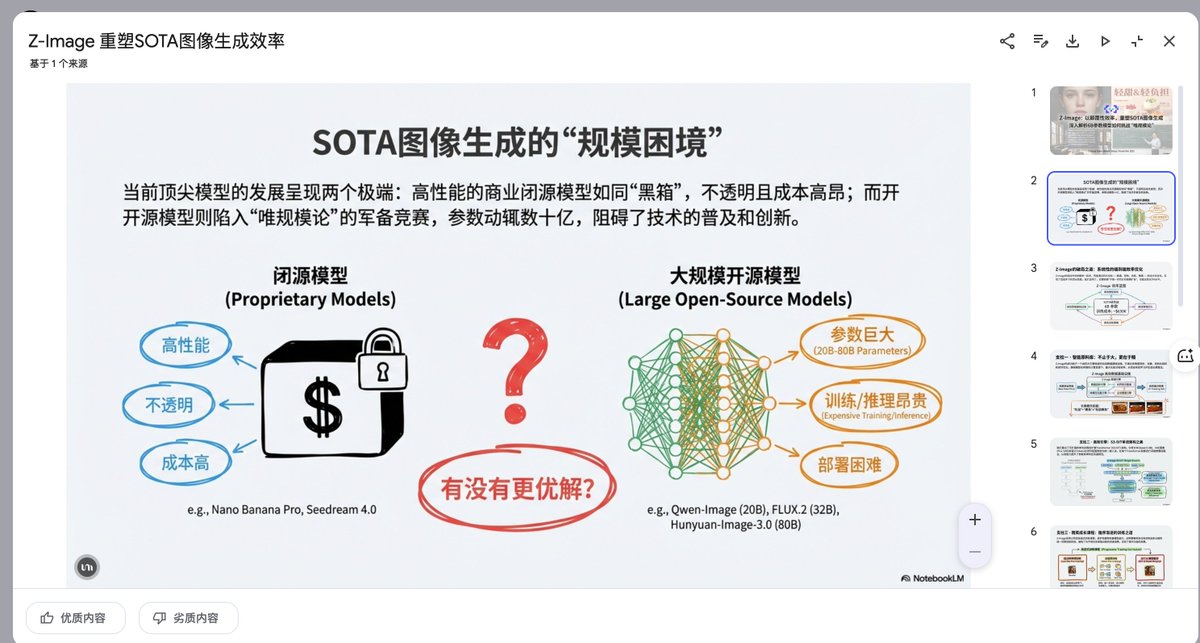
Create a set of presentation slides, adopting a whiteboard and doodle style, focusing on step-by-step explanations, featuring a consistent colored thick pencil hand-drawn style, rich information, including Chinese text, using the nano_banana tool to generate images, and extracting core information.

Mockup generation prompt for screen replacement

Mockup generation prompt for screen replacement

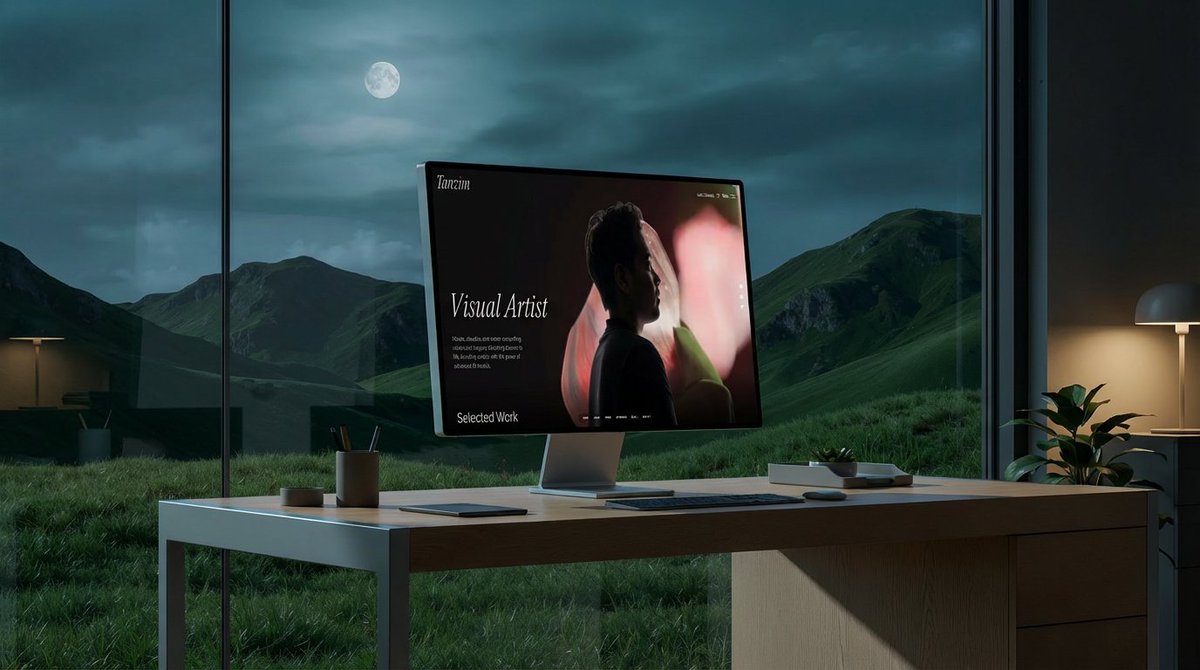
"Place the website in the second photo onto the screen of the computer in the first photo. Replace the background with something that fits the aesthetic and style of the website. Maybe an office looking out at grassy mountains and hills. Change the table to something more like white oak or aluminum."

Modern Japanese Graphic Design Poster Prompt

Modern Japanese Graphic Design Poster Prompt

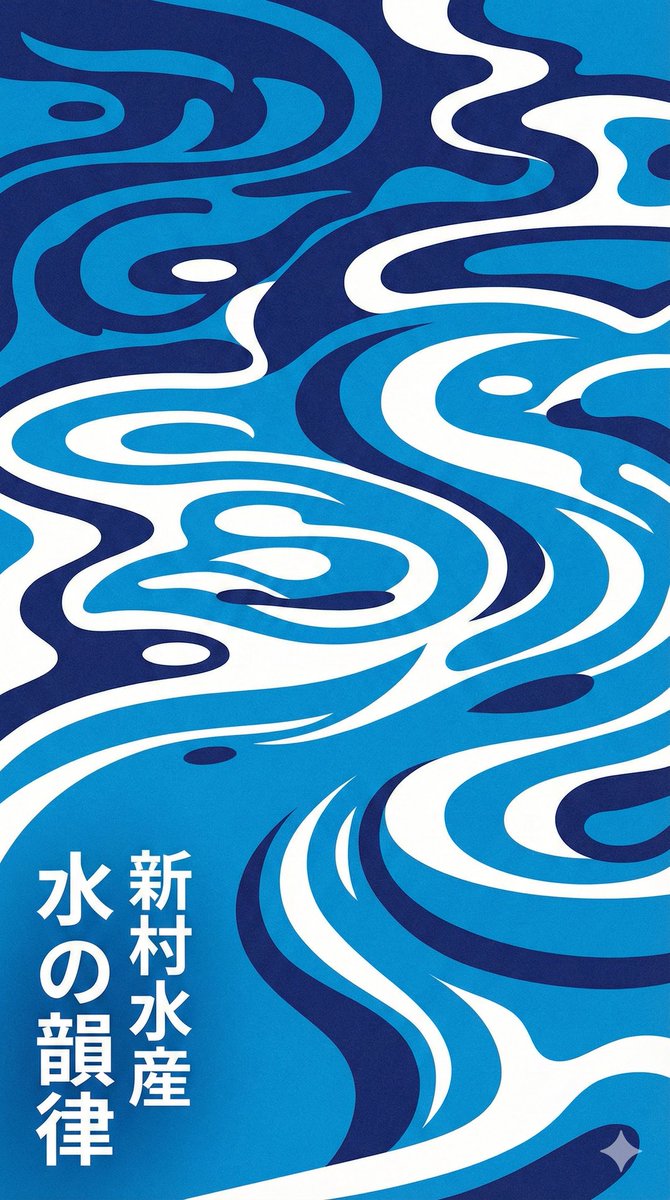
Modern Japanese graphic design poster of stylized water ripples, abstract water surface pattern, organic biomorphic shapes, flat design, vector art style. Monochromatic {argument name="color palette" default="blue"} color palette, {argument name="color 1" default="indigo"} and {argument name="color 2" default="azure"} and white, high contrast, clean hard edges, no gradients. Rhythmic flowing composition, screen print texture, minimalist aesthetic, typography elements in Japanese kanji. {argument name="style reference" default="Shinmura Suisan"} style, fresh and cool atmosphere

Some prompts are collected from creators on X. Copyright belongs to the original authors.